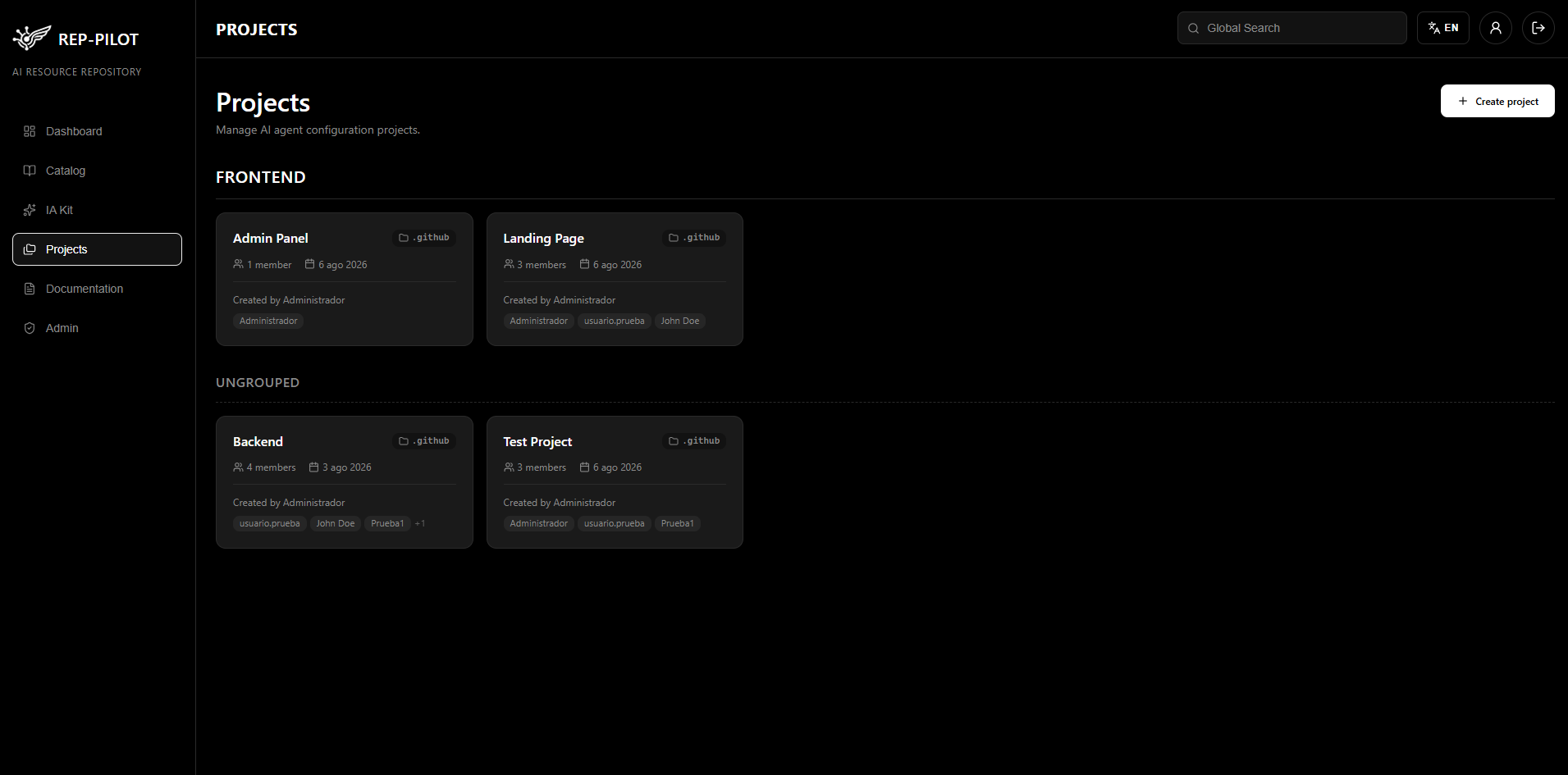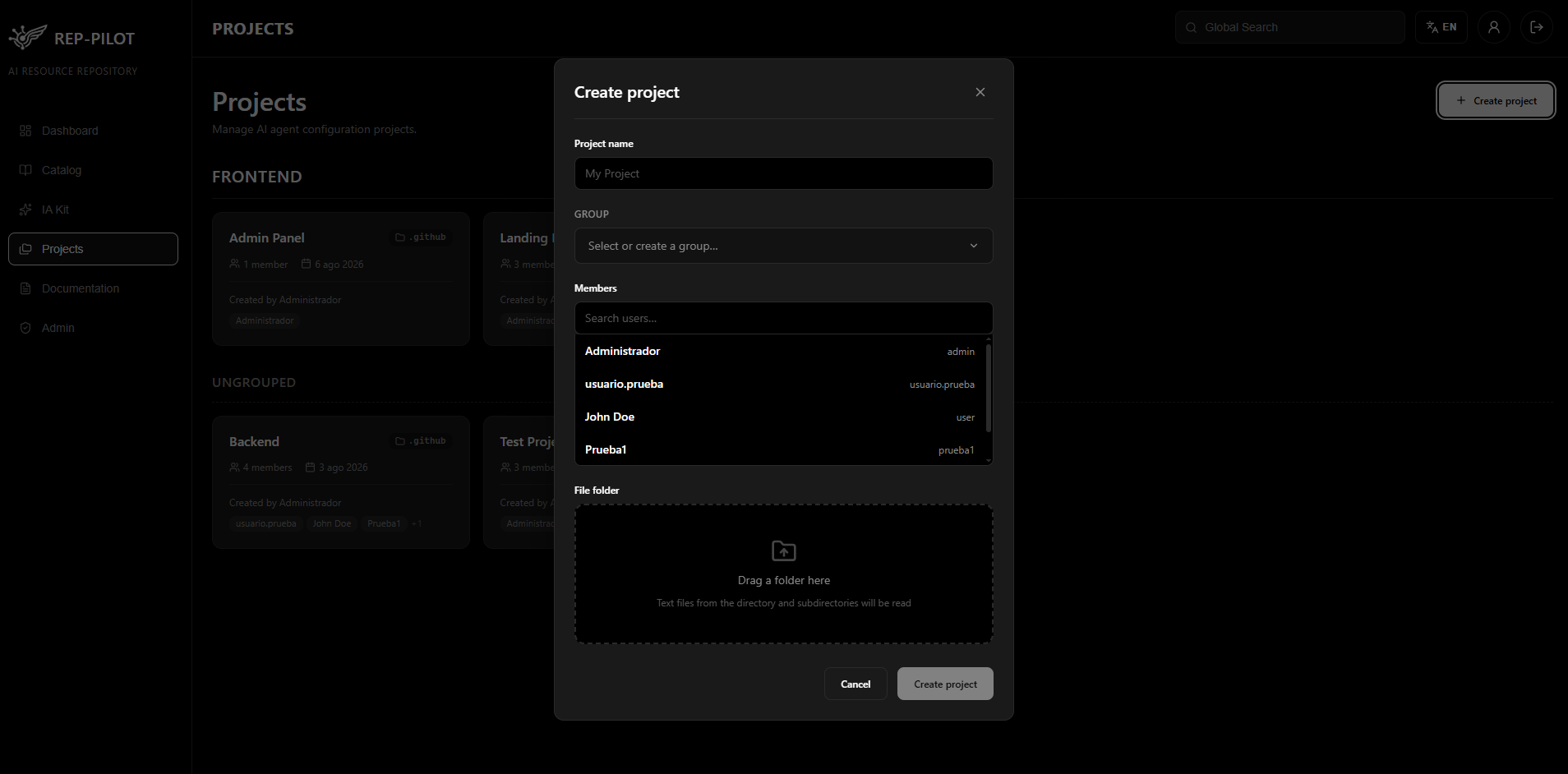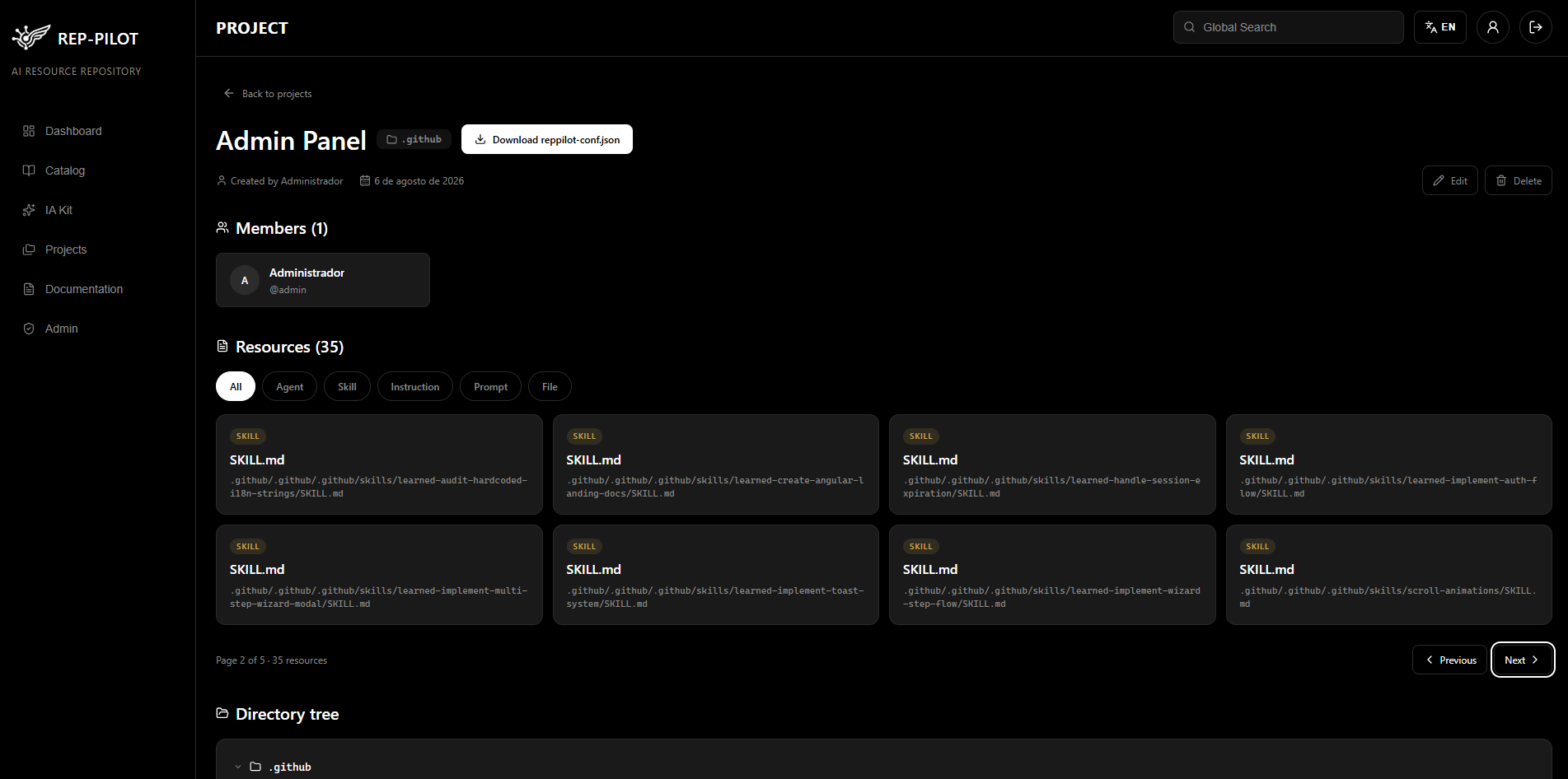
Corporate AI Repository

Centralize and share your team's AI resources

A corporate repository to manage, discover, and reuse agents, skills, prompts, and MCP servers — secure, centralized, and ready in minutes.

Self-hosted No external dependencies Ready in minutes
Platform

What is Rep - Pilot?

A corporate repository designed for teams to centralize, discover, and share their AI resources: agents, skills, instructions, prompts, and MCP servers.

Centralized Repository

All team AI resources in a single accessible, organized place with global search.

Search & Discovery

Filters by resource type, name, and tags to find any resource in seconds.

AI-Powered Generation

IA Kit generates complete AI Setups tailored to your project through a guided conversation.

Access Control

Authentication with granular roles: admin, editor, and viewer, configurable from the admin panel.

Documentation

Rep - Pilot Features

01

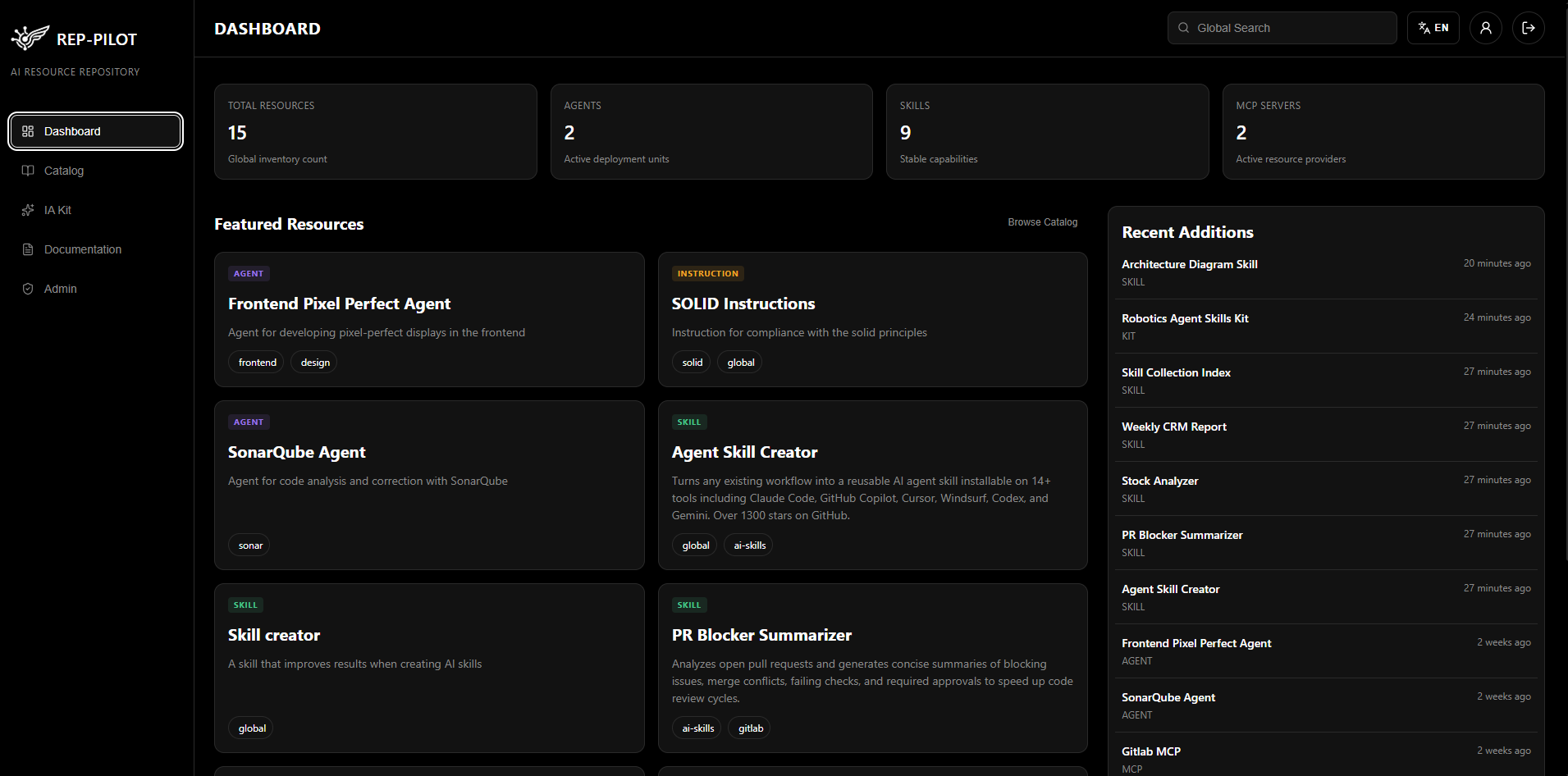
Dashboard

Main panel with key repository metrics. View the total count of resources, agents, skills, and MCP servers in compact KPI cards. Access featured resources and the most recently added ones.

  • KPI cards with count of resources, agents, skills, and MCP servers
  • Featured resources section with quick view
  • Recently added list with metadata
Dashboard view with KPIs and featured resources
02

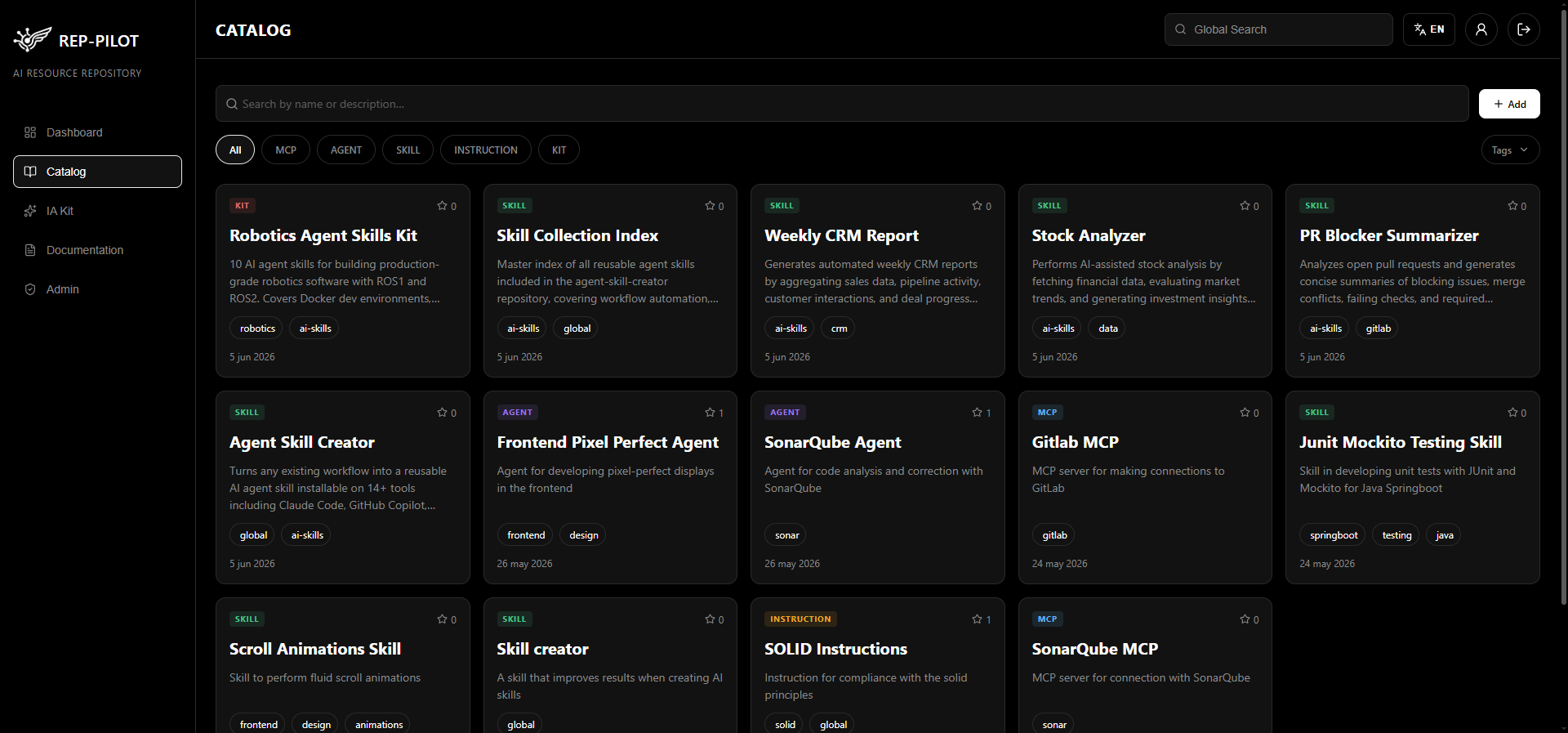
Resource Catalog

Explore and discover AI resources with global search, filters by type (Agent, Skill, Instruction, Prompt, MCP Server), and tags.

  • Global search with dedicated search bar
  • Filters by resource type and tags
  • Paginated results per page
  • Add resource modal with multi-step wizard
Catalog with filters and resource list
03

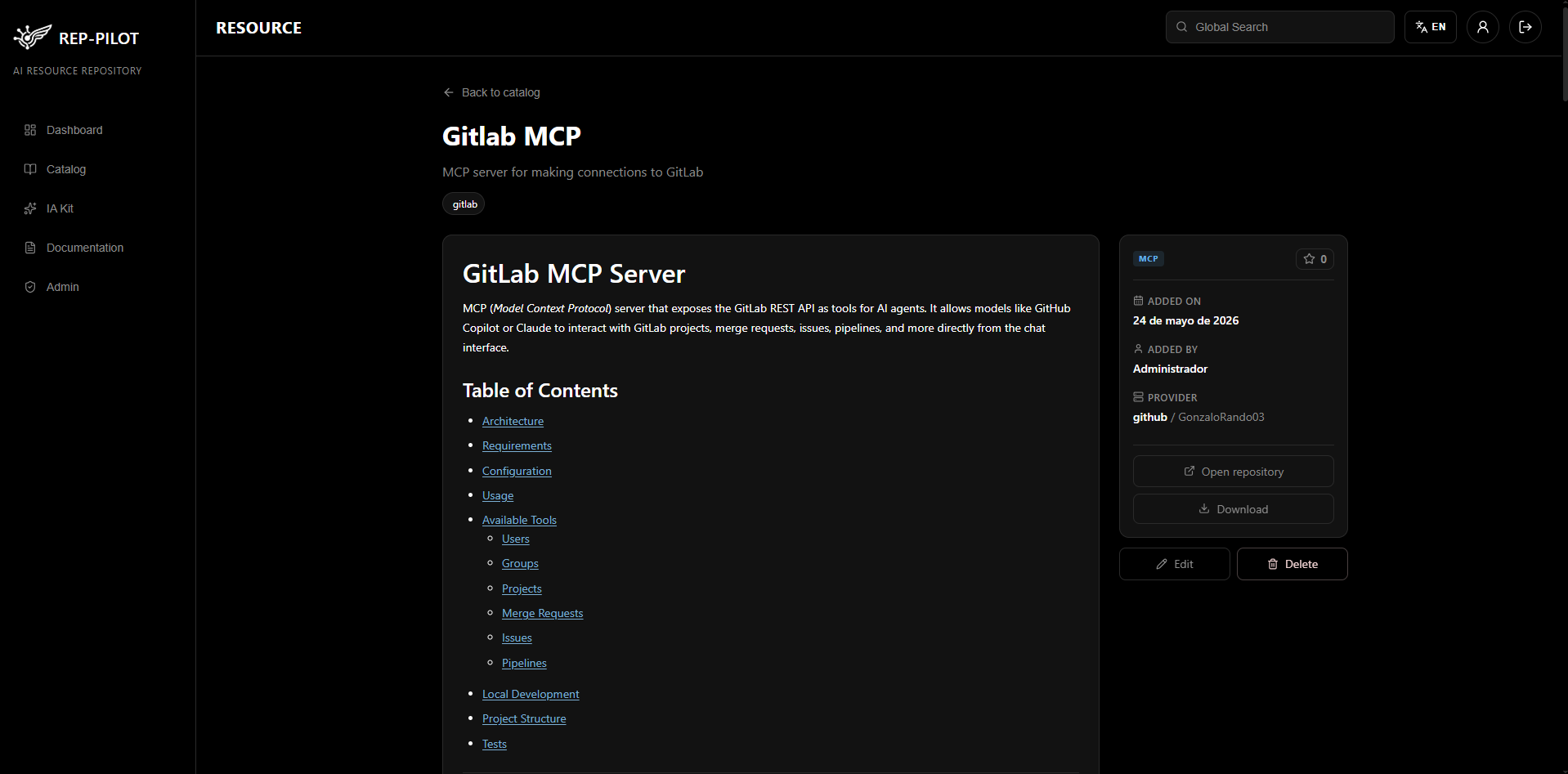
Resource Detail

Complete view of each resource with rendered Markdown content, star rating system, direct resource download, and link to the original repository. Edit and delete from the same view.

  • README rendering
  • Star system (favorites) per resource
  • Direct download of the compressed resource
  • Edit modal and delete confirmation
Resource detail view with Markdown and metadata
04

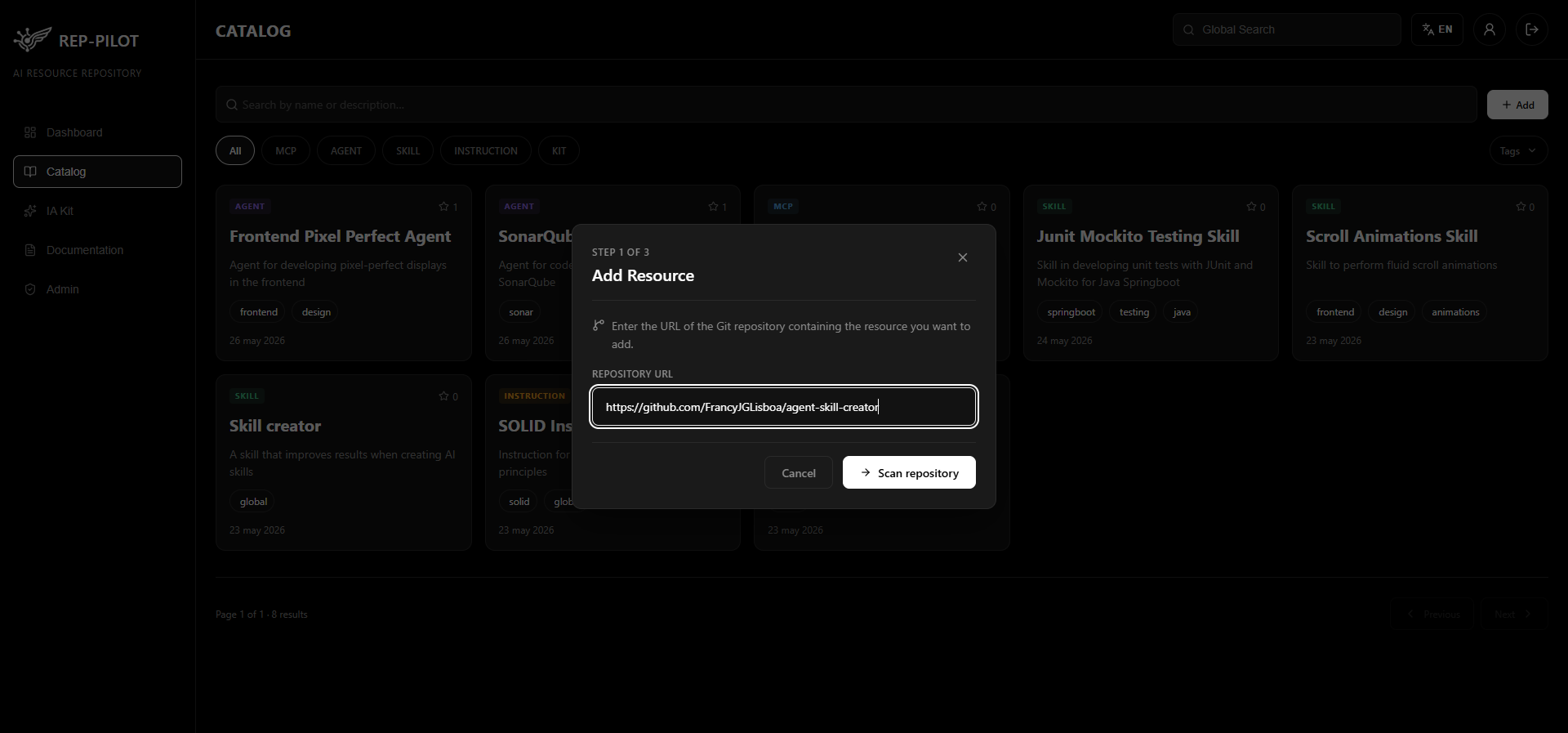
Upload — Scan Repository

First step of the publishing wizard: enter the URL of a public or private Git repository and Rep - Pilot automatically analyzes its content to detect all available AI resources.

  • Supports GitHub and GitLab repositories (public and private)
  • Enter the URL and click "Scan repository" to start the analysis
  • Scanning automatically detects the resource type (Agent, Skill, MCP, Kit)
  • Guided 3-step process: repo URL → selection → confirm & publish
Step 1: entering the Git repository URL
05

Upload — Select Resources

After scanning, Rep - Pilot presents all detected resources in the repository with their metadata already extracted. Select the ones you want to publish and edit their information before confirming.

  • List of all detected resources with name, type, and description
  • Checkboxes for individual or multiple resource selection
  • "Edit" button per resource to modify name, description, and tags
Step 2: selecting and editing detected resources
06

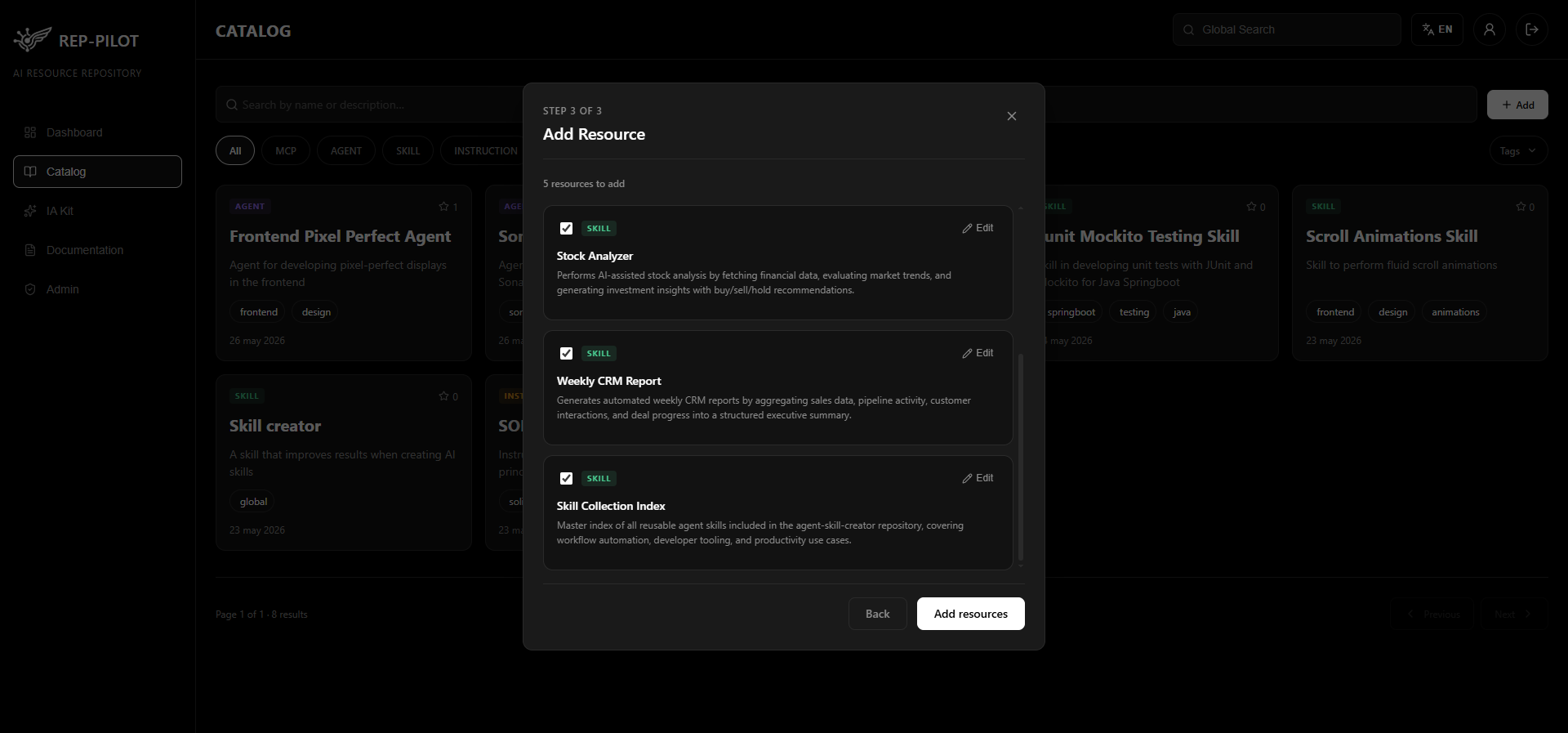
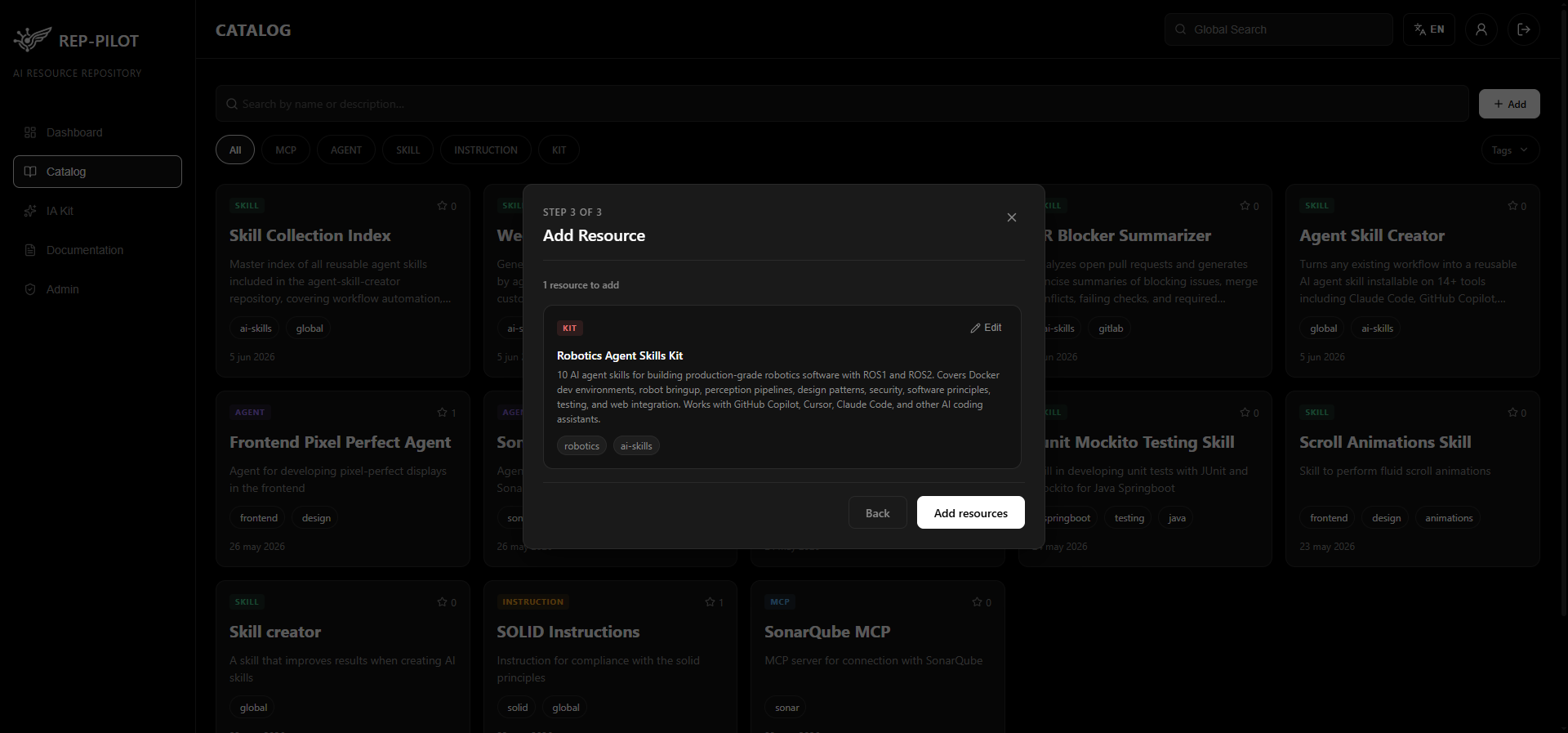
Upload — Confirm & Publish

Final step of the wizard: review the summary of resources ready to publish and confirm the operation. Rep - Pilot adds them directly to the corporate catalog with a single click.

  • Summary of resources ready to publish with all their metadata
  • Option to go back and edit before confirming
  • Bulk publishing with a single "Add resources" button
  • Resource count visible before confirming
Step 3: confirming and publishing to the catalog
07

IA Kit — Project Generation

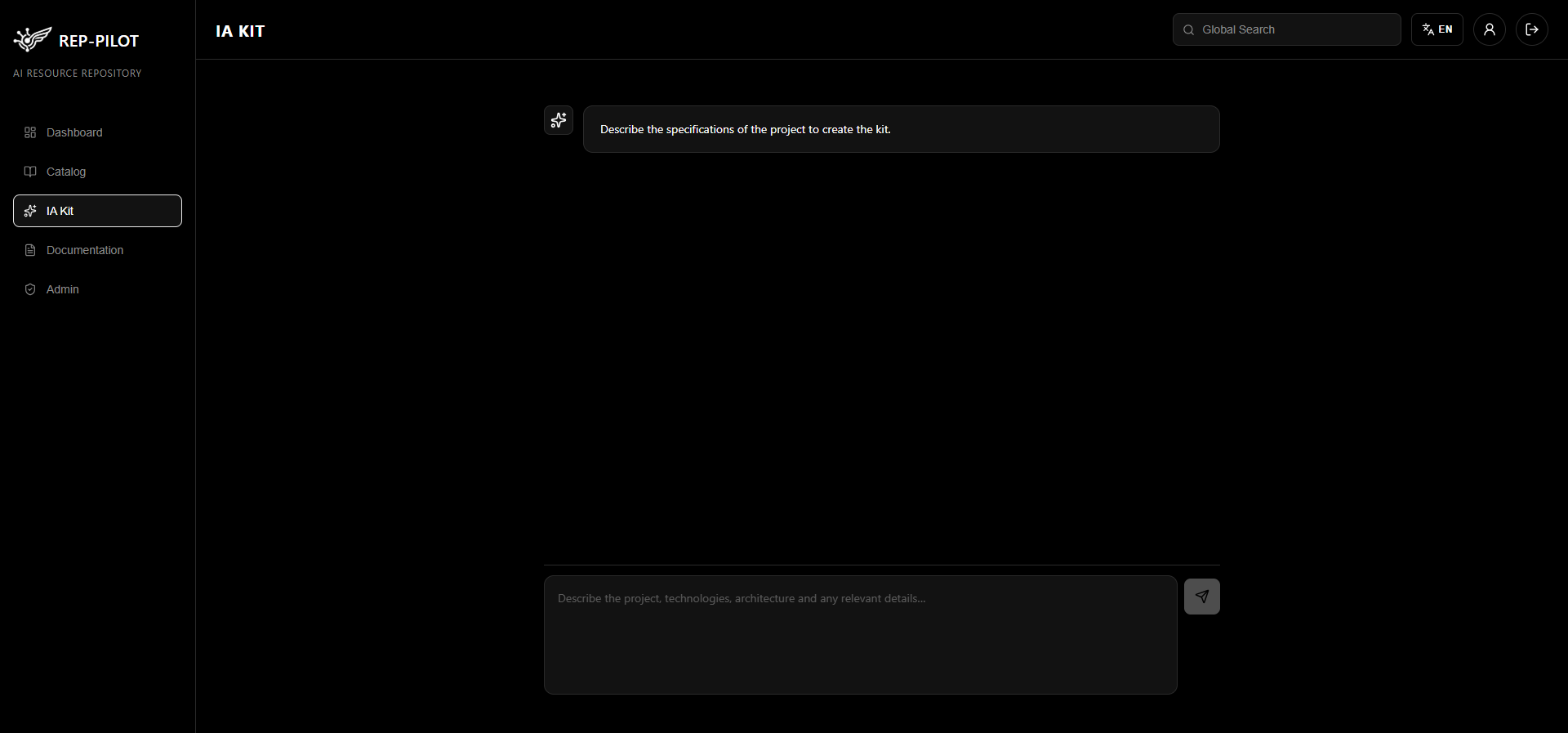
Conversational assistant that guides the user through questions to generate custom AI Setups. From technical specifications to generating a ready-to-use compressed file.

  • Interactive chat with dynamic questions per phase
  • Analysis of project technical specifications
  • Generation of compressed kit with complete structure
  • Multiple phases: setup, questions, generation, and result
IA Kit assistant — initial screen
08

IA Kit — Question Flow

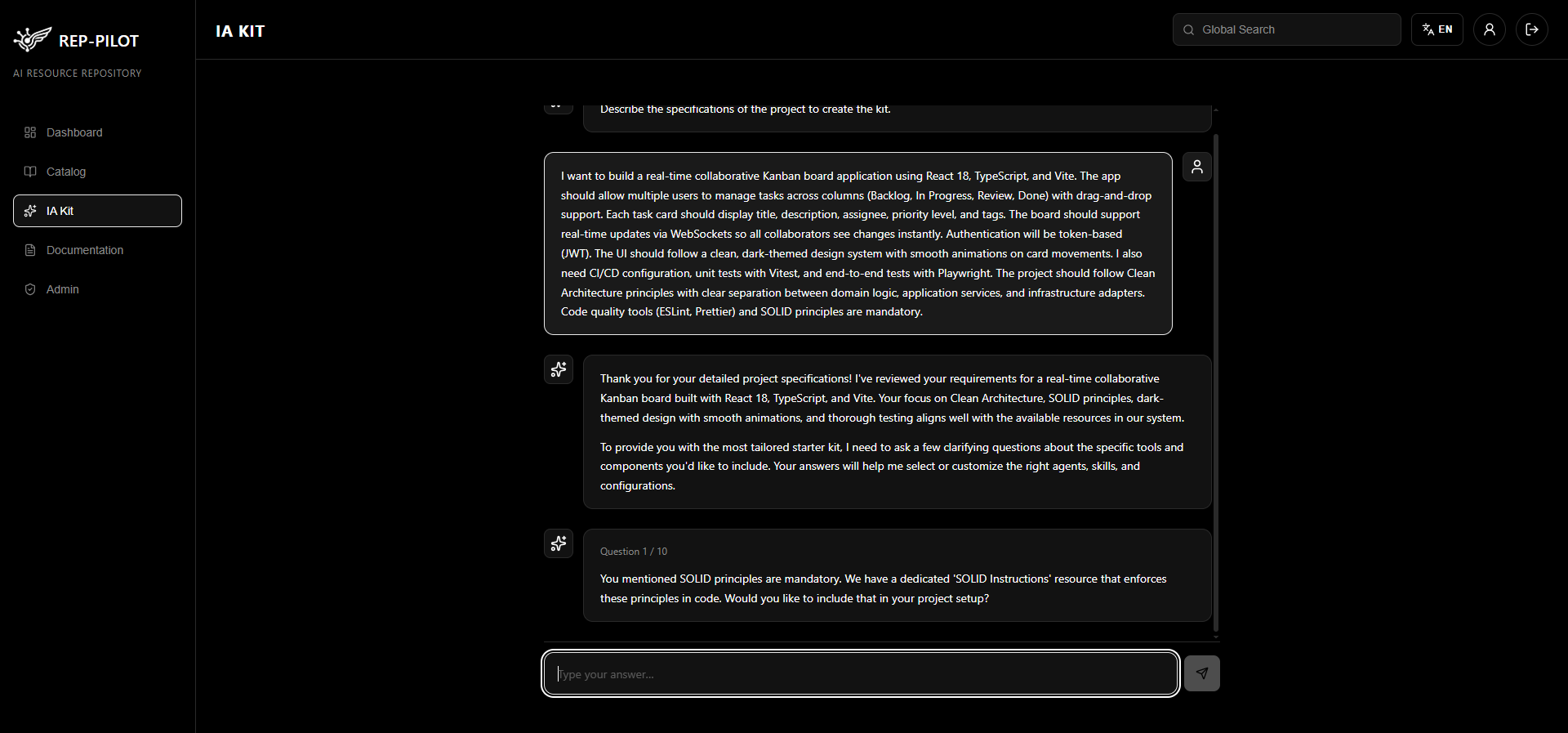
The assistant asks contextual questions about the project. Each answer refines the generated kit.

  • Sequential questions about project requirements
  • Chat-like interface with visible history
  • Refines project specifications iteratively
IA Kit — interactive question flow
09

IA Kit — Result

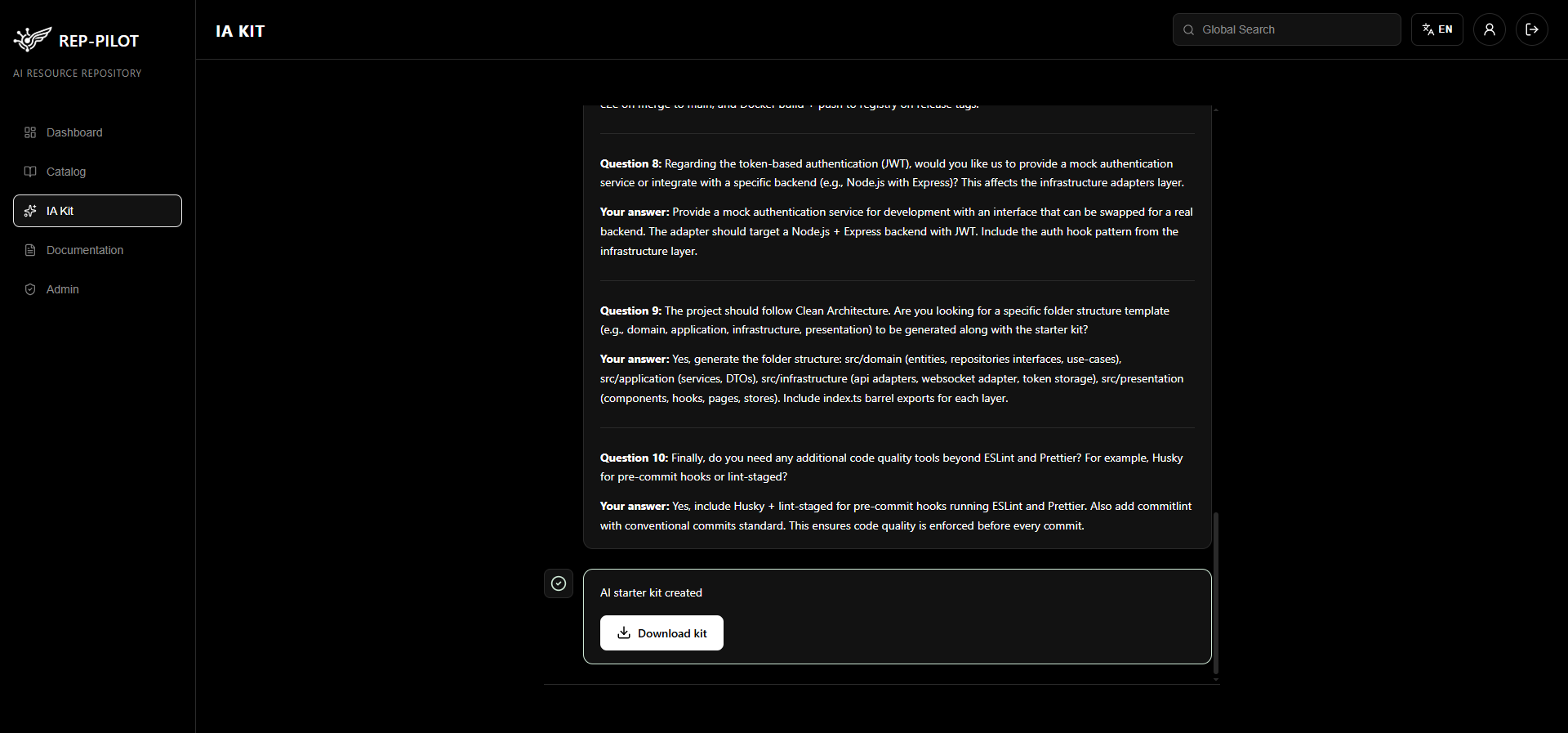
Fully generated project kit ready to download. Includes file structure, configuration, and documentation tailored to the user's answers.

  • Compressed kit ready to download
  • Complete and functional project structure
  • Automatically generated documentation
IA Kit — generated kit ready to download
10

User Profile

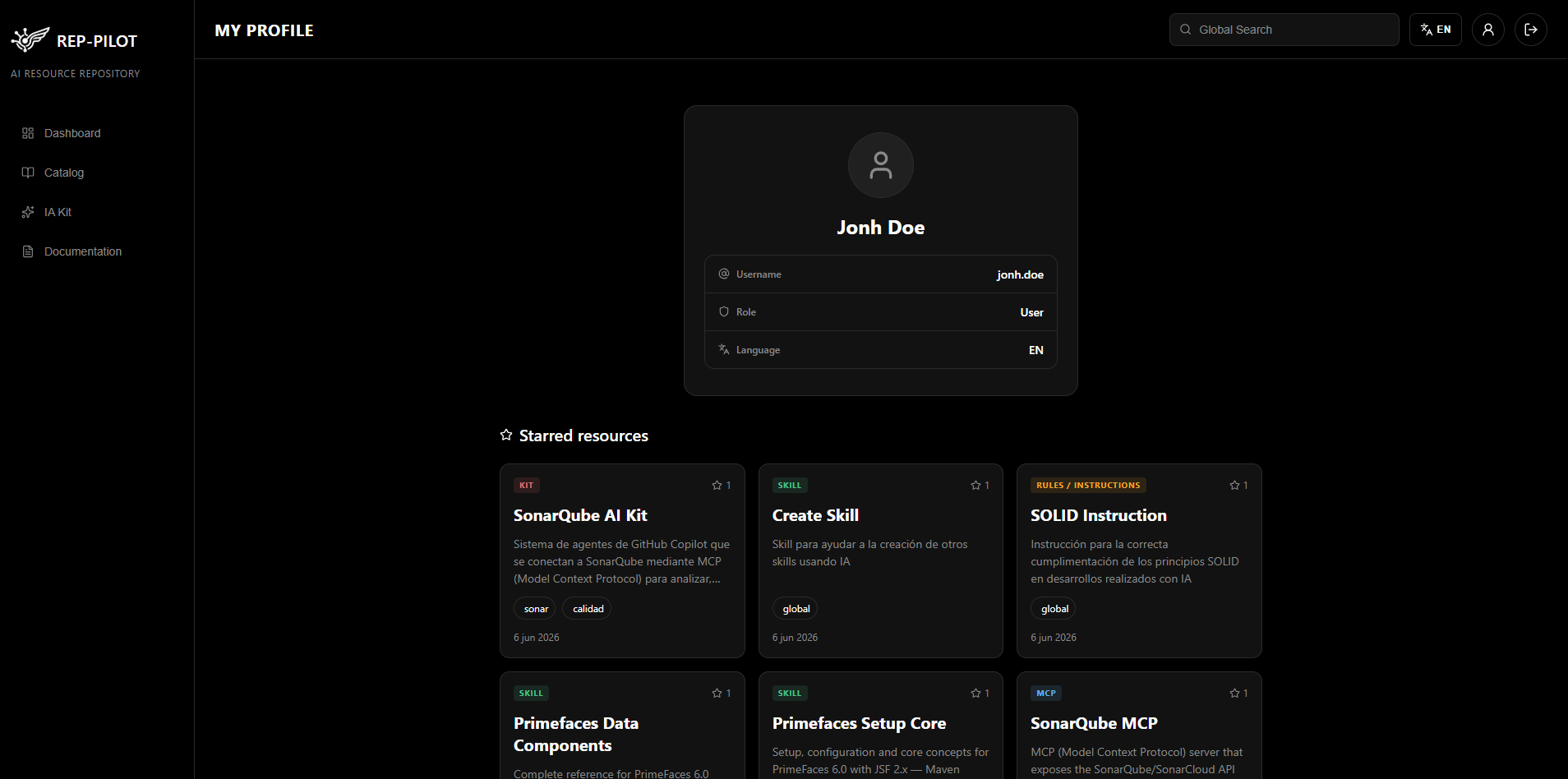
Personal view for each user with their account information and starred resources. A personal space within the repository to manage your preferences.

  • Account information: name, role, and access details
  • List of starred (favorite) resources
  • Quick access to most-used resources
  • Centralized view of your repository activity
User profile with favorites and account details
11

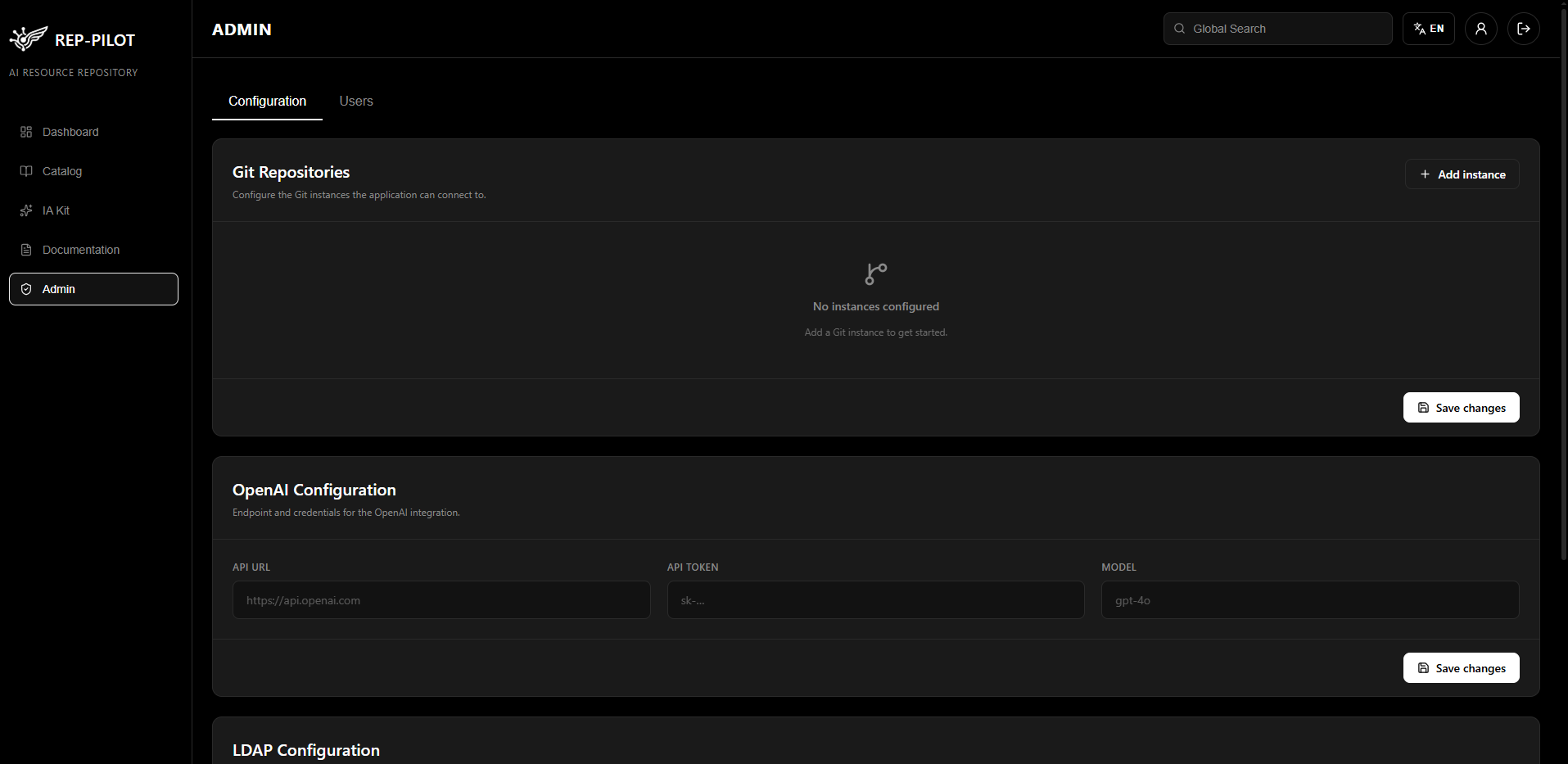
Admin Panel

Centralized management of system configuration: Git instances, OpenAI connection, authentication, and user accounts. Restricted to administrators.

  • Git instance management (URL, user, token)
  • OpenAI API configuration (URL, token, model)
  • LDAP authentication support
  • Full user CRUD with roles and permissions
Admin panel with tabs
Installation

Deploy with Docker

Rep - Pilot is available as a ready-to-use Docker image. Run the following command and you'll have the application running in seconds.

Terminal
docker run -d \
  -p 80:80 \
  -e MONGO_URI=mongodb://host.docker.internal:27017/rep-pilot \
  -e ADMIN_PASSWD=your-admin-password \
  -e CORS_ORIGIN=* \
  -e DEFAULT_LANGUAGE=en \
  -v rep-pilot-data:/data/db \
  --name rep-pilot \
  gonzalorando/rep-pilot:latest

Ready to get started?

View on Docker Hub